Billing & Licenses
Manage your subscription and seat licenses from Settings → Licenses ("Manage Seats").
Only your organization's Admin (Org Admin — there's exactly one per organization) can access billing.
Free Trial
New organizations start on a free trial with full access to all features. Your trial status and remaining days are shown at the top of the Settings page. When your trial ends, you'll need an active license to continue.
Licenses
Licenses are tracked as three separate pools, shown under Settings → Organization:
| License Type | Covers |
|---|---|
| Organization Licenses | The Org Admin seat |
| Agronomist Licenses | Agronomist accounts |
| Scout Licenses | Scout accounts |
Grower accounts don't use a license — you can add as many as you need at no additional cost.
Purchasing Licenses
- Go to Settings → Licenses (labeled "Manage Seats")
- Choose the number of seats you need
- Complete checkout — this opens a secure, Stripe-hosted checkout page in your browser
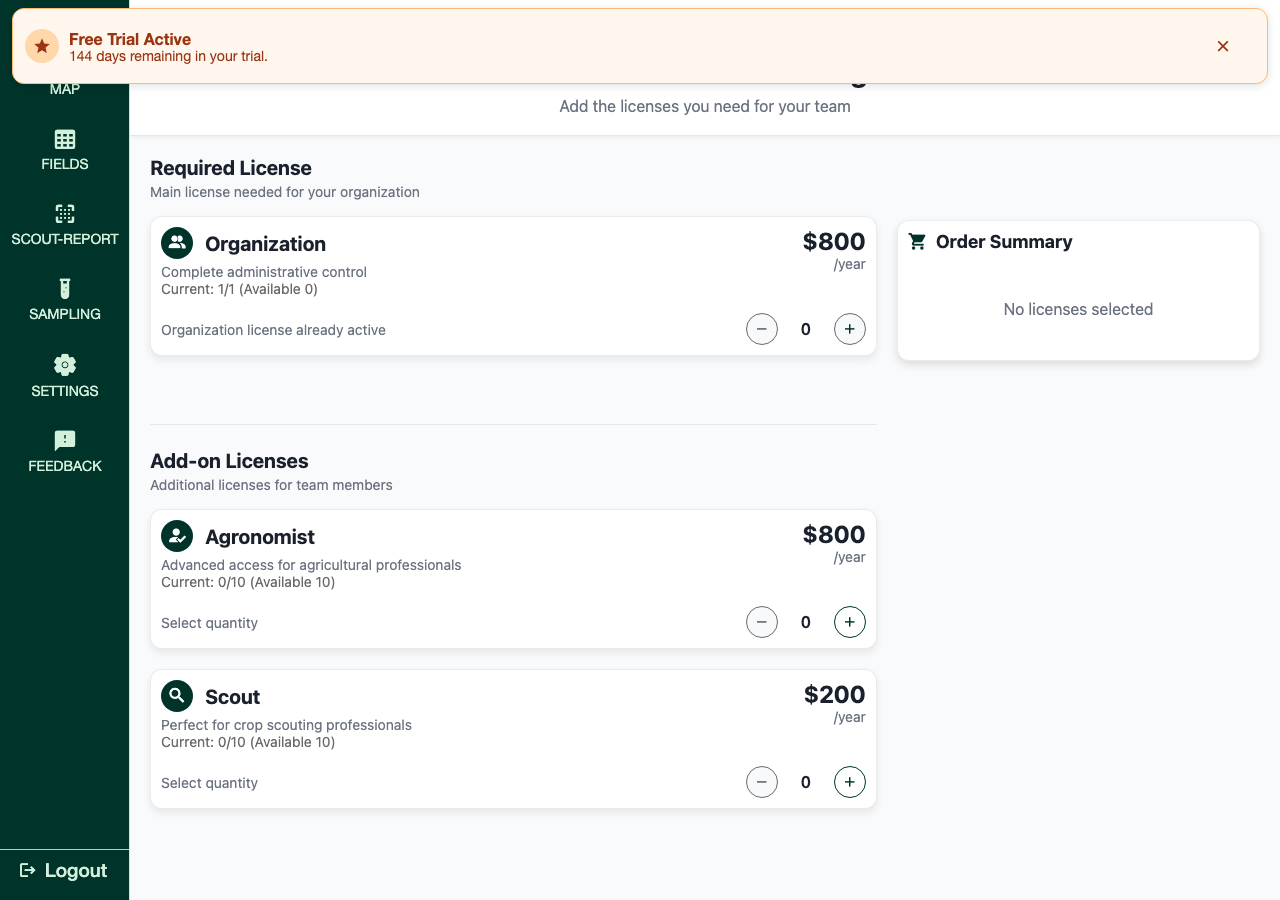
On iOS, purchasing isn't available in the app (Apple policy) — you'll see a message directing you to manage licenses from groundedag.com in a web browser instead.
Managing Existing Licenses
Go to Settings → Organization to see your Available, Active, and Total counts for each license type.
Billing & Payment
Go to Settings → Billing & Payment (web and Android only — not shown on iOS) to manage your payment method. This opens Stripe's secure Customer Portal in your browser, where you can update your card and view past invoices. GroundedAg never stores your payment details directly.
Troubleshooting
Can't find Billing settings:
- Only your organization's Admin can access billing — ask them to make changes, or to temporarily reassign the Org Admin role if needed
- On iOS, license purchasing isn't available in-app — use a web browser at groundedag.com instead
Payment failed:
- Check your card details via Settings → Billing & Payment
- Contact your bank if the card was recently reissued
- Reach out to support@groundedag.com if the issue persists